A couple of months ago, the french programming website www.developpez.com organized an event to discover Windows Azure programming (I wrote a blog post about it here).
(tr: “Let’s go !” “World cup ?” “No… Windows Phone 7 challenge by developpez.com !”)
The challenge is made of 6 steps:
Tools : download and install the required tools
Quizz : first basic quizz
Silverlight development
Silverlight and push notifications
XNA
Quizz : advanced quizz
Each winner will have the following gifts:
This kind of challenge is really helpful to discover a new technology the funny way ! I hope I’ll get my “I Love Windows Phone” tee-shirt to wear it this summer 🙂
In the very first release of the SDK for Windows Phone 7 development, it was not possible to use the camera in the emulator. The latest version of the SDK fixes this problem.
Windows Phone 7 SDK comes with a set of Task (in the Microsoft.Phone.Tasks namespace). A task can be launched from your application in order to perform some work. Currently available tasks are:
In order to launch a task from your application, all you need to do is to instantiate the associated type and call the Show() method.
Here is a sample code which launchs the StartCameraTask and then gets the capture images in order to use it in a standard Silverlight Image control:
// launch the camera capture when the user touch the screen
this.MouseLeftButtonUp += (s, e) => new CameraCaptureTask().Show();

// this static event is raised when a task completes its job
ChooserListener.ChooserCompleted += (s, e) =>
{
    var taskEventArgs = (TaskEventArgs)e;
    var photoStream = taskEventArgs.Result.ChosenPhoto;

    var bitmapImage = new BitmapImage();
    bitmapImage.SetSource(photoStream);

    this.image.Source = bitmapImage;
};
The image is just a standard Silverlight Image control:
The emulator while the task is running:
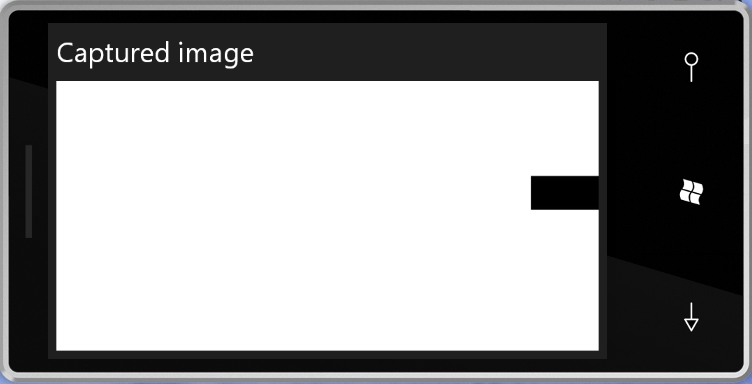
The captured image (shown once the task has completed):
The last couple of days, I’m playing with my favourite tools in order to build a simple WP7 demo application. I just encountered a weird problem which I wanted to share here… I’ll update this article as soon as I’ll get some feedback from Microsoft about this issue.
Note: this problem did not occur if you’re using the first CTP of the WP7 tools
To reproduce the bug:
Create a new Windows Phone 7 application in VS2010
You’ll get an ArgumentException with the following StackTrace:
at MS.Internal.XcpImports.MethodEx(IntPtr ptr, String name, CValue[] cvData)
at MS.Internal.XcpImports.MethodPack(IntPtr objectPtr, String methodName, Object[] rawData)
at MS.Internal.XcpImports.UIElement_TransformToVisual(UIElement element, UIElement visual)
at System.Windows.UIElement.TransformToVisual(UIElement visual)
at System.Windows.Controls.ScrollViewer.OnManipulationStarted(ManipulationStartedEventArgs e)
at System.Windows.Controls.Control.OnManipulationStarted(Control ctrl, EventArgs e)
at MS.Internal.JoltHelper.FireEvent(IntPtr unmanagedObj, IntPtr unmanagedObjArgs, Int32 argsTypeIndex, String eventName)
Analysis:
It took me some time to reproduce this problem in a very simple application. At the very beginning, I though it has something do to with the EventToCommand behavior I was using (from the famous MVVM-Light framework of Laurent Bugnion) but after talking with Laurent it was clear it wasn’t the case.
The StackTrace seems to indicate a problem with the ScrollViewer of the ListBox…
Workaround:
Several possibilities seems to be working:
Change the ListBox to an ItemsControl
Or, change the event to ManipulationCompleted
I didn’t find the correct location in order to log this issue on Microsoft Connect. Pleas let me know if you have the URL